
AppYourself Club AppYourself Club
  • NEWS
  • RESELLER CHECKLIST
  • SALES
  • SUPPORT
  • BLOG
  • NEWSLETTER
  • LIVE DEMO
  • MAKE A CALL: +49 30 – 60 98 19 795
  • Deutsch
  • English
AppYourself Club AppYourself Club
  • NEWS
  • RESELLER CHECKLIST
  • SALES
  • SUPPORT
  • BLOG
  • NEWSLETTER
  • LIVE DEMO
  • MAKE A CALL: +49 30 – 60 98 19 795
  • Deutsch
  • English
Sep 13

The shop module: Simply buy products via app

  • September 13, 2018
  • No Comments

App users simply buy the products of your customers via app

With this module your customers can sell their products and services directly via their app. The module has four different tabs in which settings can be made.

Collection Design

In the Collection Design tab you can select the presentation of the products. Three variants are available. Furthermore, products can be sorted according to different criteria, e.g. by name. With the Detailed view, the products and services can be viewed more closely. Under Advanced Settings, products and services can be provided with additional categories or descriptions.
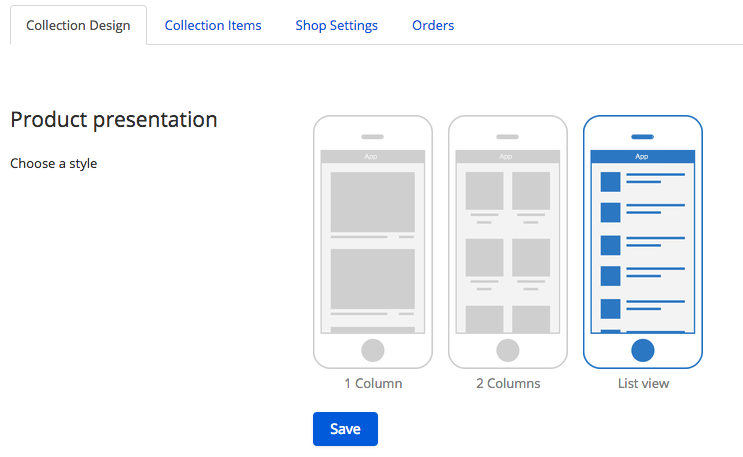
Collection Design inside the shop module

Collection Items

In the Collection Items tab, the corresponding products can now be created under Add Product or Upload File integrated into the app.
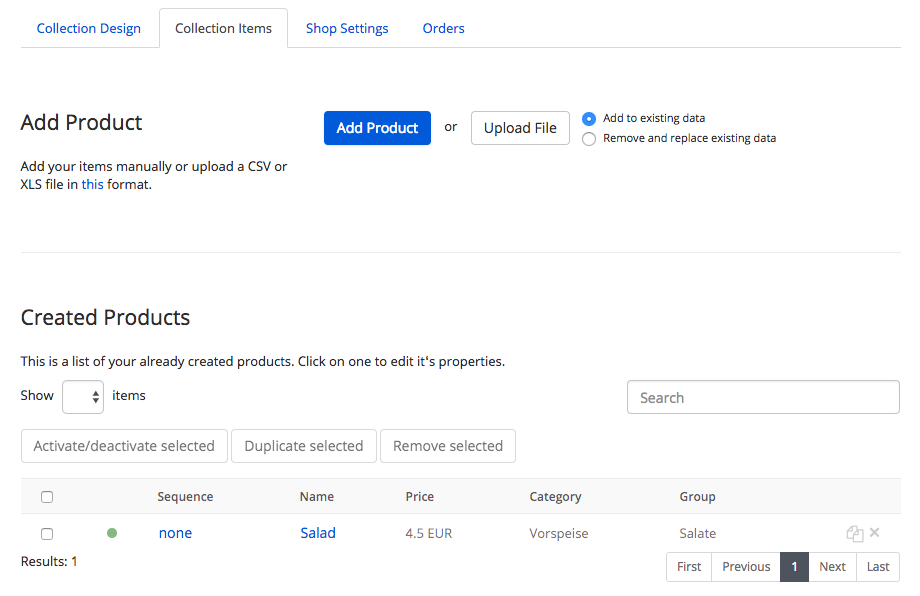
Collection Items inside the shop module

Once a product has been added, it can be adapted by clicking on the just Created product (Salad). In the new window you can change the name, the price and the type of product.
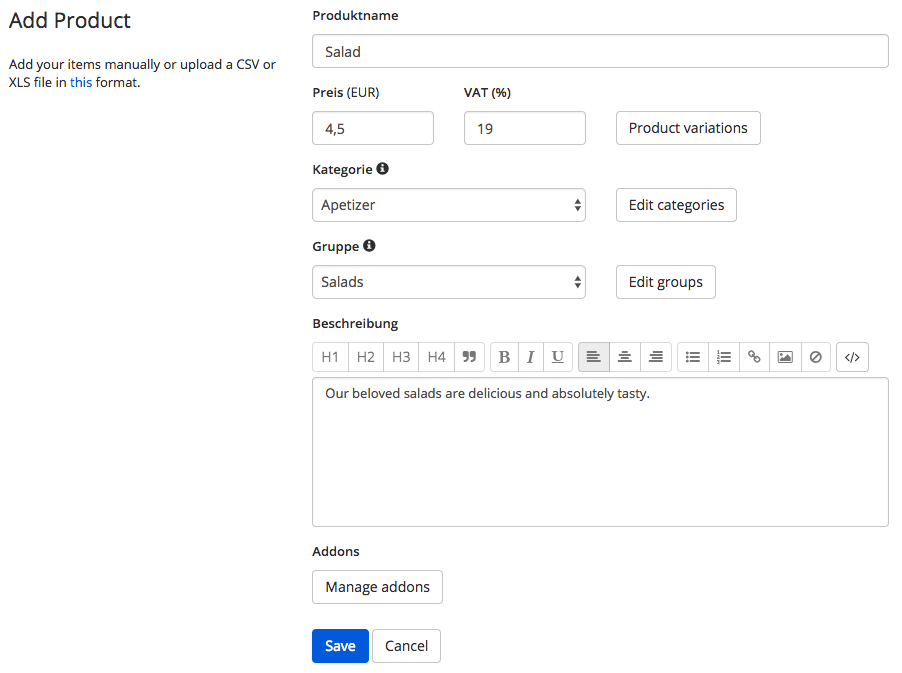
Adjusting the products inside the shop module

Shop Settings

Under Shop Settings in the General Settings you can specify to which e-mail address the orders should be sent and in which currency they should be priced. The shipping methods by DHL or self collection can also be selected. In the Shipping Terms window, you can add a corresponding description. The form settings allow you to specify which fields should be declared as mandatory fields. Payment options, Customer notifications and Legal information can be added in the respective fields.
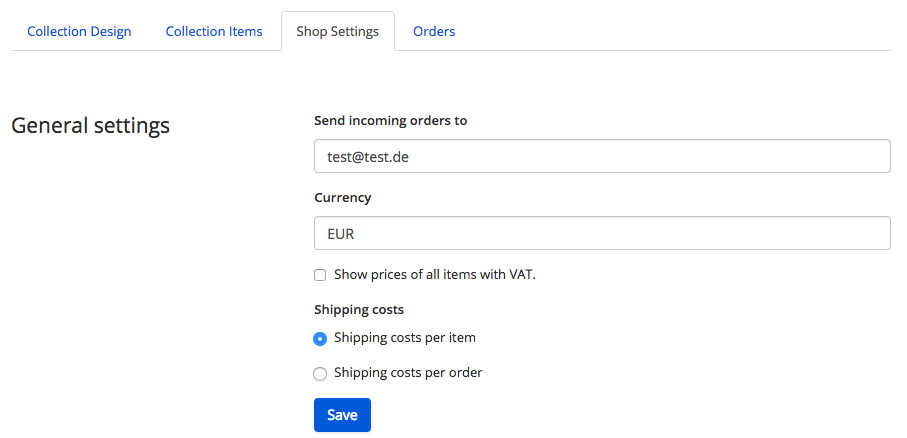
The shop settings of the shop module

Orders

The Orders tab contains all incoming orders that your customers have already received. You can also download the received orders as a CSV file by clicking on the Download Orders button.

Further information

  • Product variations for the shop module
  • Addons equip products with additional extras
1247    App Maker  

Related Knowledge Base Posts -

  • How do I submit an app to an App Store?
  • To get the Smart Widget with your WordPress website
  • Instant Reply: what is that and what does this function do?
  • Facebook
  • Twitter
  • Tumblr
  • Pinterest
  • Google+
  • LinkedIn
  • E-Mail

About The Author

Leave a reply Cancel reply

You must be logged in to post a comment.

Recent Posts

  • Selling apps: this is how you succeed as a reseller
  • Do my customers need an app?
  • Marketing tools: how to use them as an app reseller with promising results!
  • The new AppYourself brings great changes for your customers apps
  • Information on future App submissions to the Apple App Store

Recent Comments

    Archives

    • August 2021
    • November 2019
    • December 2018
    • May 2018
    • February 2018
    • January 2018
    • December 2017
    • November 2017
    • October 2017

    Categories

    • AppYourself
    • News
    • Product
    • Uncategorized

    Meta

    • Log in
    • Entries feed
    • Comments feed
    • WordPress.org
    2015 Theme - WordPress Theme built by Mintithemes using WordPress.
    • Search Knowledgebase